Putting item pictures on the packing list

A seldom known feature of Teapplix is that you can put item pictures on the packing list.

This assumes that you have a picture of your item hosted somewhere. When you do "remember weight", in xref3 field, put your picture url like below:

[img]http://www.mypictureurl.....[/img]

Then, configure your packing list to include xref3. Now try generate packing list and you will see pictures.
Posted in Howto | Tagged , | 211 Comments

Turn on WebConnector debug

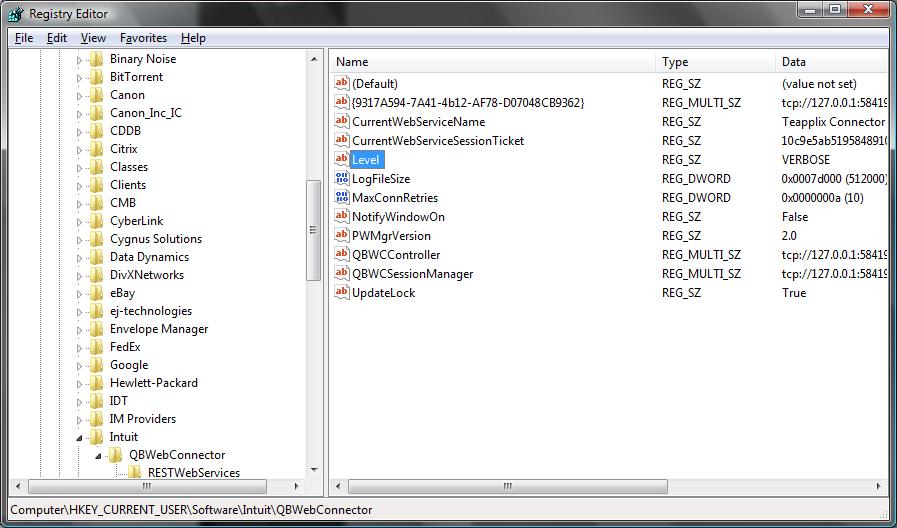
To debug WebConnector XML errors, you need to change the log level into "VERBOSE" mode from the normal "DEBUG" mode:

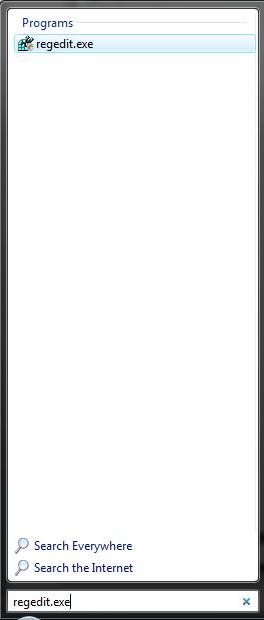
1. run regedit:
regedit

2. find HKEY_CURRENT_USER\Software\Intuit\QBWebConnector Entry
QBWebConnector Entry

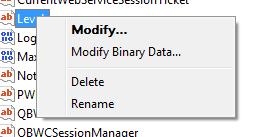
3. select the "Level" key and right mouse click, select "Modify":
Modify Level

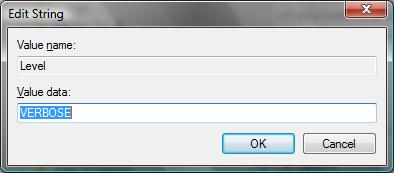
4. change the value from "DEBUG" to "VERBOSE"
Modify Level

5. Restart Web Connector, clear the log and perform a sync operation. The log will contain more detailed debug info. Note that the information in the log may contain sensitive data, please use caution when sending the log to thirdparties.

You should restore the "Level" key to "DEBUG" after the problem is found.

Posted in Howto, QuickBooks Integration | Tagged , | Comments Off on Turn on WebConnector debug

Printing international characters via Endicia DaZzle

We have made some fixes to allow Endicia DaZzle to print international characters correctly. Please note that international character support in DaZzle is pretty limited and so far only a subset of European language characters are supported.

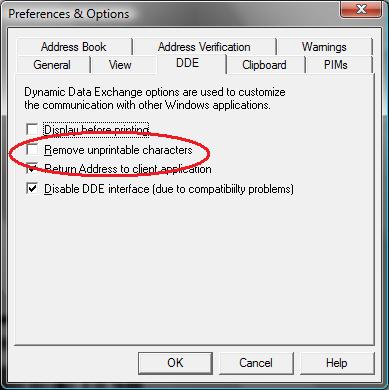
To print correctly, you must turn OFF the "remove unprintable characters" option in DaZzle Preferences:
remove unprintable
Also note that sometimes PayPal sends Teapplix an order that has incorrect character set encoding. When this happens Teapplix open orders will display an address that looks wrong. We are working with PayPal to address this issue.

Posted in Howto | Tagged , , , | Comments Off on Printing international characters via Endicia DaZzle