How to link your Volusion shopping cart to Teapplix

To integrate with Volusion shopping cart, Teapplix requires Volusion API access. Currently the API access is only available with a Gold or above level Volusion plan.

To integrate with Volusion, follow these steps:

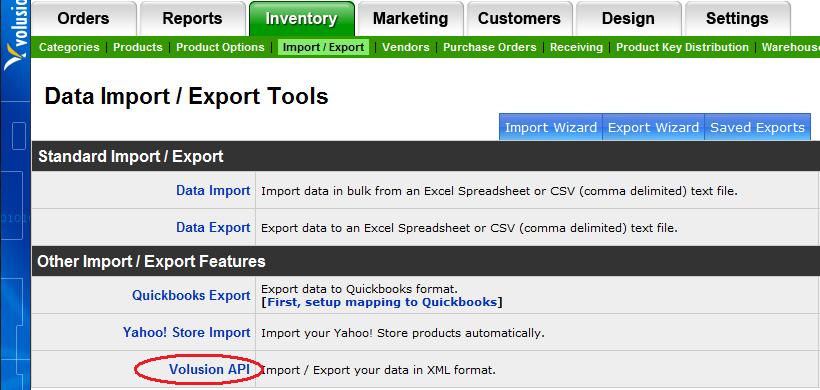
  1. Login to Volusion admin area, and go to Inventory => Import Export:
    Inventory => Import / Export
  2. Select Volusion API:
    Generic
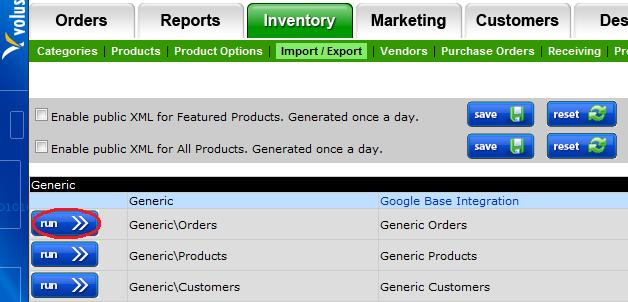
  3. Select "Generic\Orders":
    Generic Orders
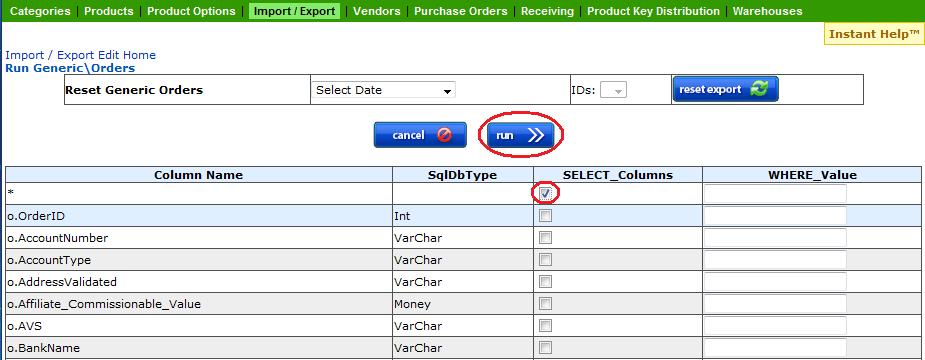
  4. Check the first check box => all columns * (make sure nothing else is checked):
    Check *
  5. Scroll down to o.OrderStatus, and fill in the box WHERE_Value with the Order Status you want to export. (make sure you don't check the checkbox)
    Order Status Selection
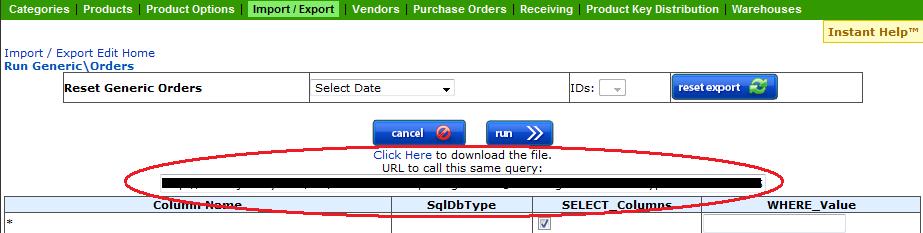
  6. Click Run on top and copy & paste the URL into Teapplix shopping cart configuration. You can download the order report to import to Teapplix if you want to see your order immediately.
    URL and Order Download
Posted in Howto | Tagged , | 170 Comments

Teapplix releases support for Volusion shopping cart

Teapplix support for Volusion shopping cart is released. We use Volusion API to do automatic, bi-directional order import and shipping status update.

Posted in Site Updates | Tagged | 156 Comments

Google Analytics, Twitter Facebook and your Browsing History

As Teapplix starts to build out our Facebook fan page, and twitter account, I am increasing worried that your browsing history now is tracked across multiple sites.

Since many websites uses "widgets" from Facebook, Twitter, or tracking code from Google (Analytics, AdSense, etc), through cookies Google / Facebook / Twitter and whoever that deploy these type of thirdparty "thingy" across many websites will be able to see your browsing history as you visit any website that deploy their code.

For example, if you visit www.badsite.com, and badsite has a Facebook social plugin put on their page, then Facebook will know that you visited www.badsite.com. Facebook will know all the sites that you visited that has some kind of Facebooks "plugin" code deployed. With all those "like" or "share" buttons, most sites will have such a thing.

To prevent this from happening, you have some choices:

1) If you use Firefox, you can block cookies from specific domains. The downside is that now you can no longer login to them. For example, I block all cookies from google, facebook, twitter, addthis, sharethis etc from my Firefox browser. The problem is of course, I can't login to any of these sites. But they won't know my browsing history.

2) If you use IE8, you can turn on "InPrivate Browsing". This is a very neat feature, it blocks automatically code to send cookies to thirdparty tracking sites like Google, Facebook, Twitter, etc. InPrivate browsing is smart enough to count any website that receiving thirdparty tracking info. If a site did this 10 times (default), then the site will be blacklisted and IE8 won't send anymore cookies to that site.

This is better than firefox because you won't lose the ability to login to Google / Facebook / Twitter etc. And they automatically add new ones to blacklist.

The downside of this plugin is that you have to turn it on everytime you start your browser. However, there are registry changes you can make (Search for InPriviate automatic) that will turn it on by default.
Posted in Site Updates | Tagged , , , , , , | 54 Comments

Zebra ZP450 Thermal Label Printer

Zebra ZP450 If you print a lot of shipping labels, your best bet is a thermal label printer. Most of our customers use Zebra 2844 thermal printer. I had a chance to visit a customer who just acquired a new Zebra ZP450 printer. This printer isn't much bigger than the 2844, just a little taller. Watching it print is a religious experience. Compared to 2844, it is much much faster. We tried a batch from Teapplix integrated with DaZzle. 136 labels in less than 5 minutes. Customer told me the same batch in 2844 will be 40+ minutes.

Well worth it if you are buying a thermal. And the amazing thing is, ZP450 isn't much more expensive (new) than a 2844!

Posted in Howto | Tagged , , | Comments Off on Zebra ZP450 Thermal Label Printer

Teapplix Releases Discount USPS Rates Powered by Express1

We are excited to announce the capability to purchase discount USPS priority and express mail shipping labels through Teapplix powered by Express1.
With our Express1 integration, any Teapplix customer can print discount USPS Priority Mail (flat rate and 1-3lbs) and Express Mail (1-2lbs) shipping labels, at the deepest discount available that you normally will not qualify for. You get to save up to $1 per piece on some priority mail labels.
Most businesses don’t meet the volume requirements for discounts on their USPS Priority, Flat Rate or Express shipping. As a volume postage partner of the USPS, Express 1 is able to make available big business discounts for any Teapplix customer.
Teapplix has integrated this capability directly into the product. Within the product there is a special queue that filter out all orders that qualify for the Express1 discount, and with a single button click you can generate the shipping label via PDF to be sent to your printer.
Setup is easy, there is a shipping section to put in your address and your label preferences. We also preserved the capability to put SKU on your shipping labels. Label cancel and refund is instant in our "Order History" display.
You can signup for an free Express1 account and pay for postage via credit card or ACH transfer.
So look for the red "discount priority & express" link for qualifying orders, and use the Setup section to setup your Express1 account today to leverage the savings.

Posted in Site Updates | Tagged | 8 Comments

Teapplix Releases Standalone QuickBooks Integration Product

Teapplix.com, a leading supplier of web-based shipping automation and accounting integration software,
announced today the release of it's standalone QuickBooks Integration product.

Available immediately, Teapplix QuickBooks Integration allows sellers large and small to better
track their financial data for profit-loss analysis, tax accounting and inventory controls.

Teapplix can automatically pull orders from eBay, PayPal, Amazon, Fulfillment by Amazon, Yahoo Stores, ProStores, as well as many leading shopping cart software. All orders can be exported to QuickBooks automatically without manual file import and export.

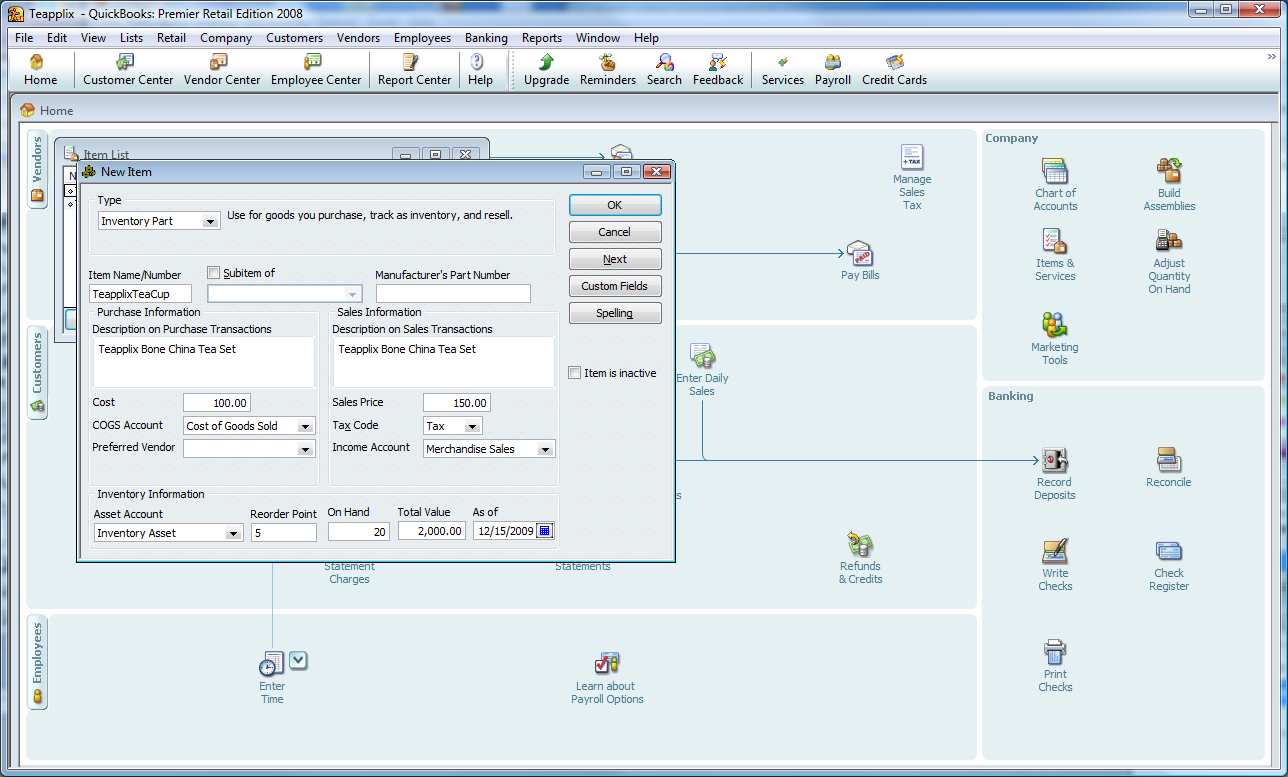
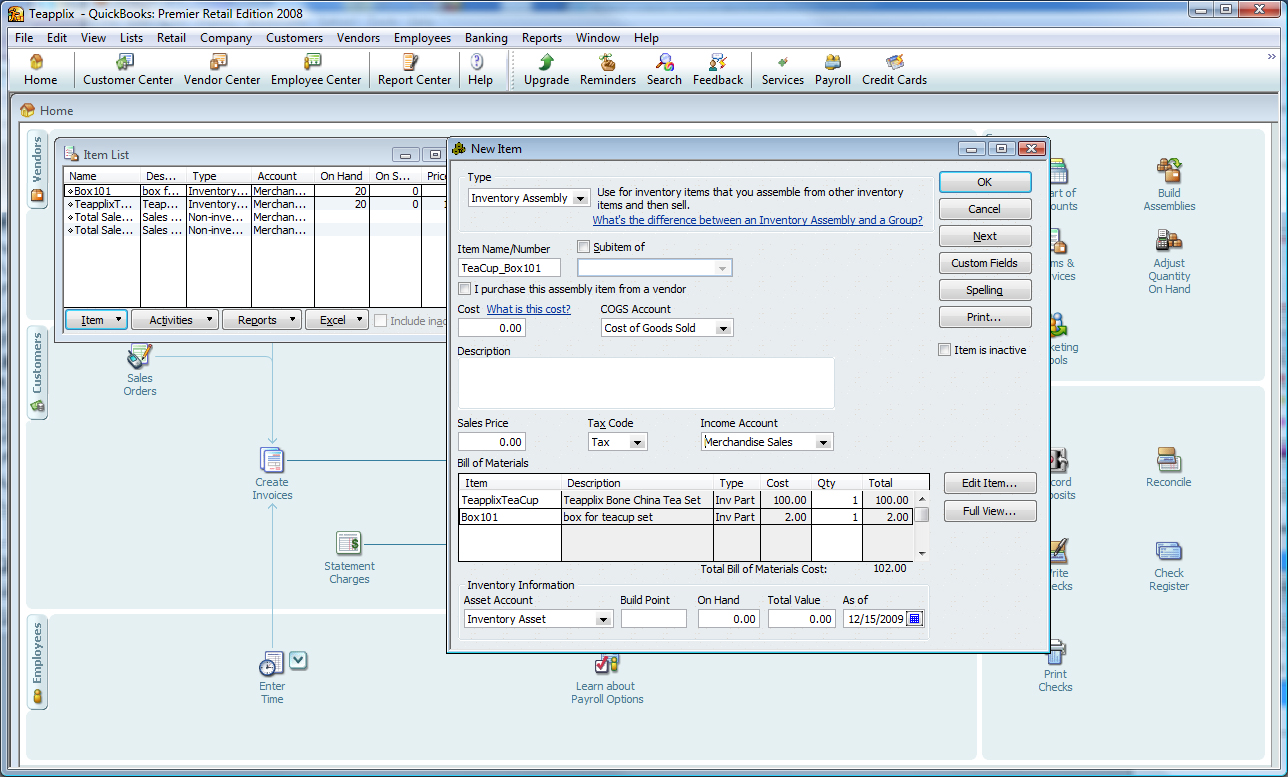
Teapplix's simple to use web interface allows sellers to setup flexible mapping rules to control how orders are exported to QuickBooks. You can define inventory name mapping, customer creation rules, etc.

Teapplix QuickBooks Integration product is free for occasional sellers, and starts at $9.99 a month or $99 a year for others. You can signup for a no risk, 30 day free trial at:

http://www.teapplix.com/trial.html

Posted in Site Updates | Tagged , , , , , | 415 Comments

QuickBooks and Sales Tax

In QuickBooks, there are multiple levels of control on taxable vs non taxable transactions. We list the settings in the order of "precedence" -> settings listed earlier will completely override later ones:

  • Customer taxable or not - if a customer is not taxable, no tax will show up
  • Sales tax item used on the receipt - If this rate is 0, tax will be 0
  • Item taxable or not - controls if the item price will be included in the taxable amounts

If you use Teapplix QuickBooks Integration, we control tax by flipping the customer taxable status on the Sales Receipt or Sales Order.

Teapplix uses QuickBooks to calculate the amount of tax. To make sure your sales receipt total matches that of your actual order, make sure you select the right Sales Tax Item in Teapplix Integration Setup.

This selected tax item must have a rate that matches your marketplace and shopping cart tax rate. If you have 2 separate tax items, one represent state tax, one represent local tax, you need to create a third item, of type "Tax Item Group", that combine both tax rates to get the proper total tax.

For each exported order, Teapplix will either set the customer taxable status to non, if no tax is charged, or tax, if sales tax are included in the order.

What you need to insure for sales tax to work correctly is that your items have the correct "taxable" status. Most physical goods sold on eBay & Amazon should be taxable.

It is also important that you review with your accountant if "Shipping & Handling" is taxable.

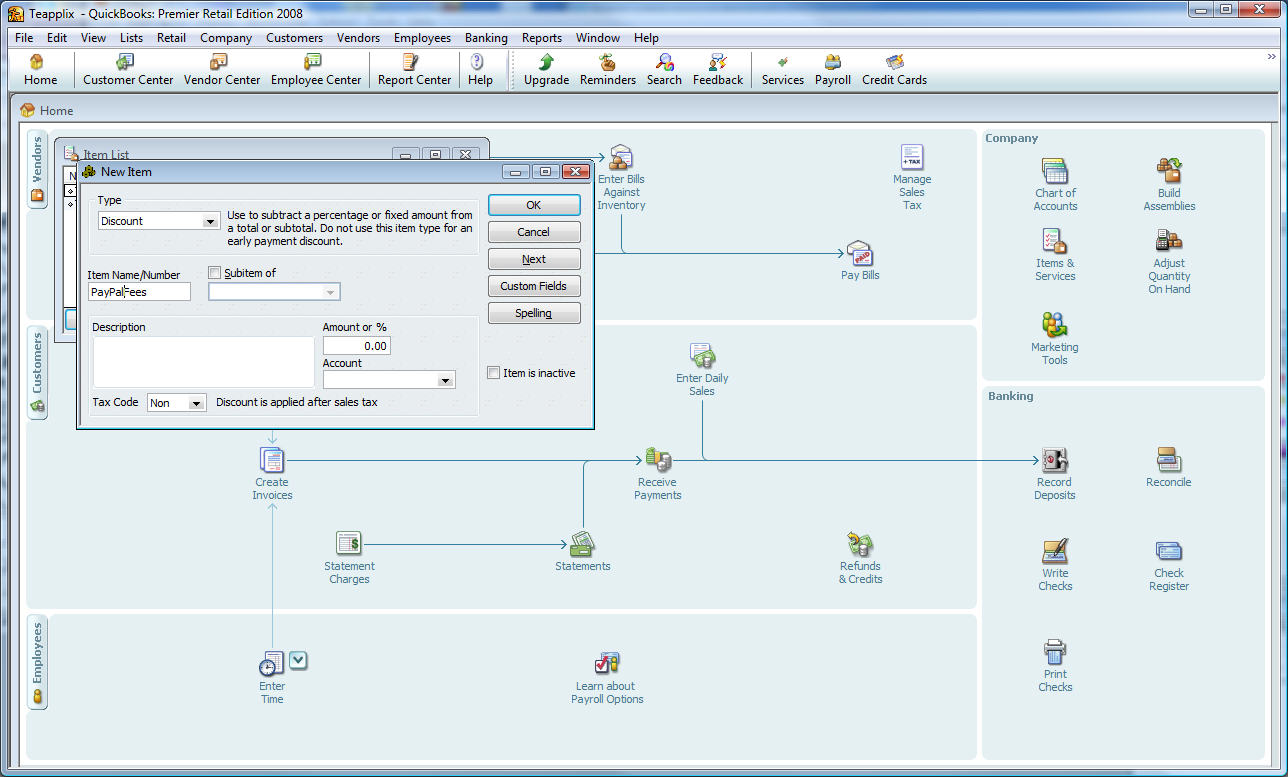
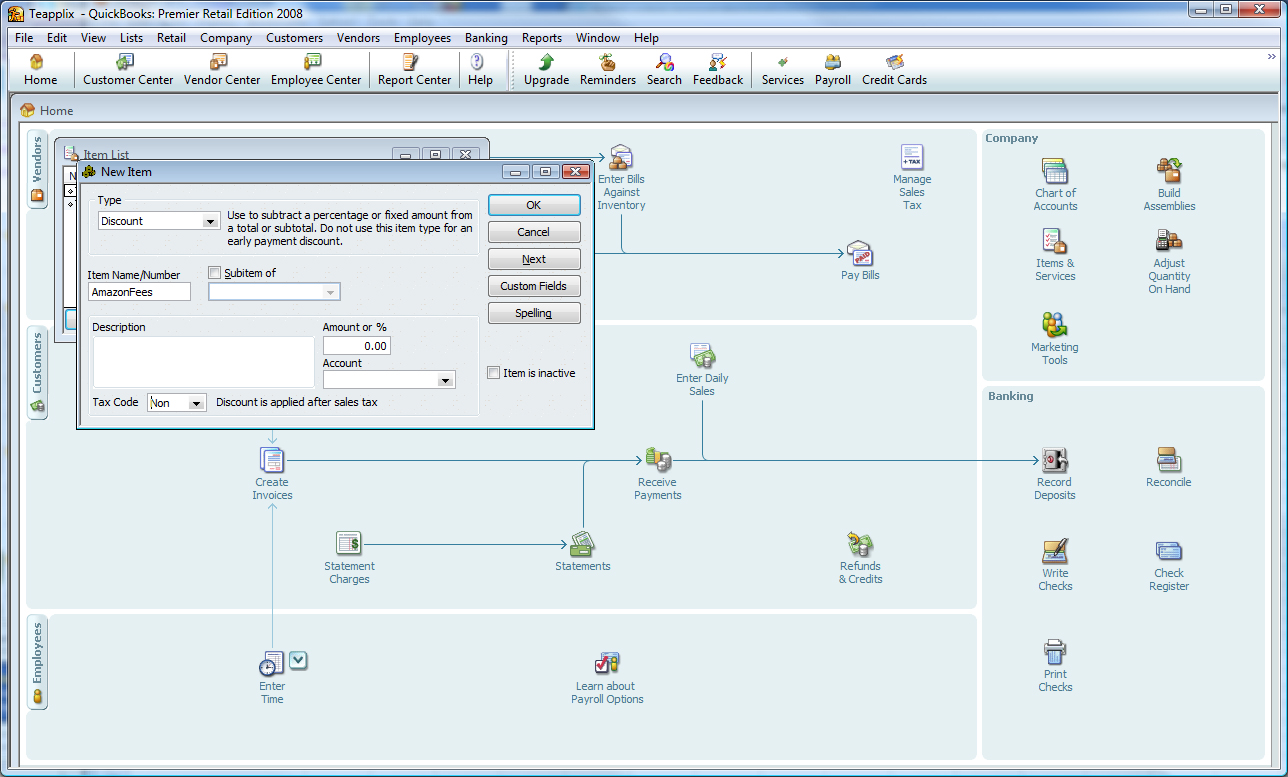
Note that the discount used to represent PayPal, Amazon and eBay fees must be "non-taxable". These are taken out after tax calculation is made.

Amazon
For Amazon orders, Teapplix may not record the proper taxable status if Amazon does not charge sales tax for you.

Buy.com
For Buy.com, Teapplix do not import the tax amount in the sales receipt. So all taxes will be recorded as non-taxable out of state. This is due to Buy.com handling the tax collection and filing for you.

States with multiple tax rates
If you are in a state that has multiple tax rates, Teapplix can only apply one tax rate to your orders. You may need to edit the exported orders and change the actual tax item that applies.

Posted in Howto, QuickBooks Integration | Tagged , , , , , | 1 Comment

Endicia DaZzle update for APO issue

Endicia has posted an update to DaZzle that solve the APO address crash. With the upgrade you can print APO as you normally would in the same batch as others. If you are not running DaZzle version 10.3.20, please update your DaZzle as below.

We also posted a new version 10.3.20 that fixes the issue for the old style customs forms
http://download.endicia.com/DAZzle-Update-103.EXE will now download 10.3.20

Posted in Site Updates | Tagged , , | 4,099 Comments

Endicia DaZzle crash on APO DPO FPO addresses

We are hearing reports from multiple customers about DaZzle crashing when printing an APO address.

This issue is being worked on by Endicia:

The issue should only affect printing postage label and Customs form separately for APO/FPO addresses. If the customer uses the APO/FPO integrated form layout (layout name: APO FPO Priority Mail Shipping Label.lyt), the label should printed out without issue.

When printing APO Labels if you are not using the integrated APO FPO Mail Shipping Label.lyt, DAZzle retrieves the customs forms from the USPS. Unfortunately the USPS made some changes to the customs forms server which results in DAZzle crashing.

We are working on a new release of DAZzle which corrects the problem however the fastest solution is to use the integrated APO FPO Mail Shipping Label.lyt.

In the mean time, please print APO FPO DPO in separate batches using the layout above. In Teapplix, you can use the "APO" link under open orders to pick out APO address only.

Posted in Site Updates | Tagged , , | 841 Comments