-
Help Topics
Expand all | Collapse all


OpenAI ChatGPT
To link Teapplix to chatgpt.com, you must have a Business, Enterprise or EDU level subscription.* To add, go to "Apps" page and click on the top right gear icon to bring up the settings panel, click on Apps to the left and turn on "Developer mode":
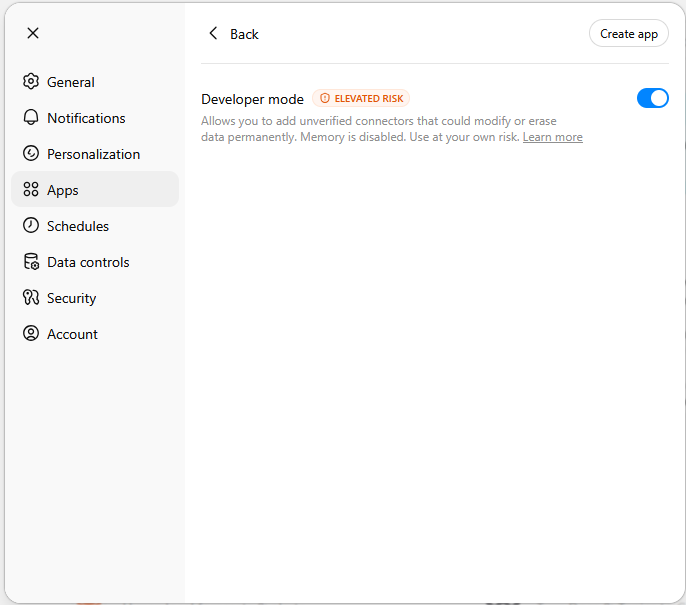
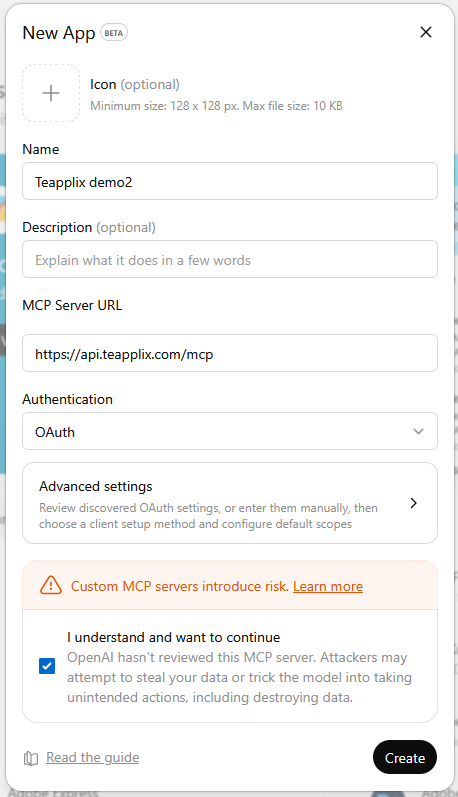
Now you can click on Create app. Fill the screen like below:
Name: Teapplix xxxx where xxxx is your Teapplix Account Name
MCP Server URl: https://api.teapplix.com/mcp
Authentication: OAuth
Advanced settings, under Client Id, type in your Teapplix Account Name.
Now you can check the checkbox to understand risks, and click Create:
During create you will be redirected to Teapplix login page to authorize access. After success, you will have an App inside chatgpt that is in 'Draft' status. You can publish it:
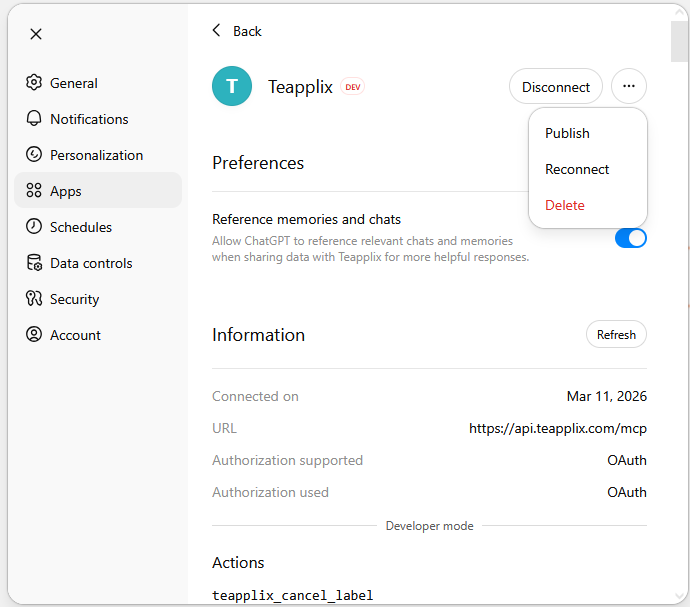
Once published, all your team member can access the app from the chat tool to drive Teapplix.
- The level of chatgpt subscription required is best we can determine and may not be current. You should consult OpenAI for more definitive information